Release Notes
New in Fred Dispense Plus
Fred Dispense Plus automatically applies both software and drug updates. No user intervention is required, but please ensure that your server PC is always switched on as automatic updates are applied outside of business hours.
UserVoice suggestions
A number of the features and enhancements in this release are in direct response to feedback from our customers who have submitted suggestions via UserVoice. The features below with a UserVoice icon include a link to the original UserVoice request.
If you have a great idea on how to make Fred Dispense Plus an even better way to dispense, let us know. See Post your Fred Dispense Plus idea on UserVoice for more information.
Patient history merge - allow merging of eScripts for duplicate profile
Patient history merge now supports eScripts so that duplicate patient profiles can be merged when name and Medicare card data match.
See UserVoice item .
Ability to filter the search for a patient by facility code
Patient search now supports filtering by facility for faster identification.
-
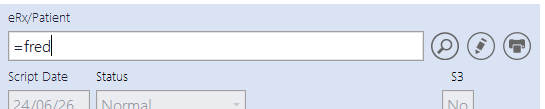
To filter patient search by facility code, type '=' followed by the facility code in the Patient search field (e.g. =FRED) then press the ENTER key.
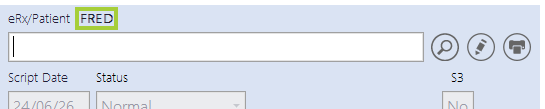
The facility filter is applied and the facility code is displayed to indicate that patient search is filtered.
-
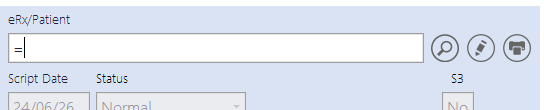
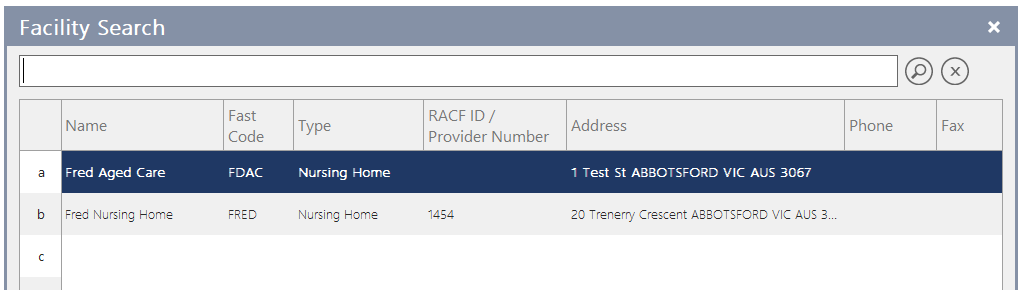
If you cannot recall the facility code, type '=' and press the ENTER key to display a list of all available facilities, as shown below.
-
To clear the facility filter, type '==' and press the ENTER key. Alternatively, at the facility search results screen, press the ESC key.
See UserVoice item .
Facility/ward display and printing on repeat
Facility and ward details are now reflected on paper repeat printing.
See UserVoice item .
Print Facility Code, WARD and URN on small dispensing label
A new label option allows Facility Code, Ward, Room, Bed, UR Number or Primary PDE to be printed on small dispensing labels.
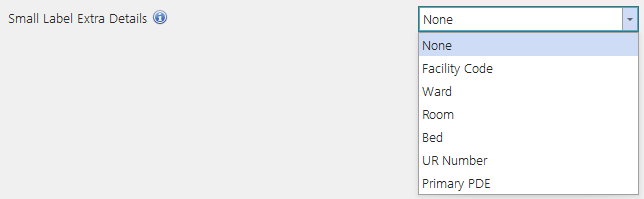
See UserVoice item .
Populate nursing home details from facility fast code
Entering a facility fast code in patient address fields now auto-populates nursing home details.
See UserVoice item .
Inactive option for Patient Status
Patient status now includes an Inactive option to better manage patient records.
See UserVoice item .
Fixed in Fred Dispense Plus
- Fixed an issue that allowed users to proceed to the next scan check immediately after an incorrect scan check.
- Fixed an issue where the Partial Pack indicator was not cleared from the previous script when a scan check was performed immediately between scripts.
 Search Tips
 Fred Learning Pathways